

Whether you’re new to Beecardia or have been using it for a long time, there are some advanced features that you might not be familiar with. In this post, we’ll go over a few of them.
Automatic mode
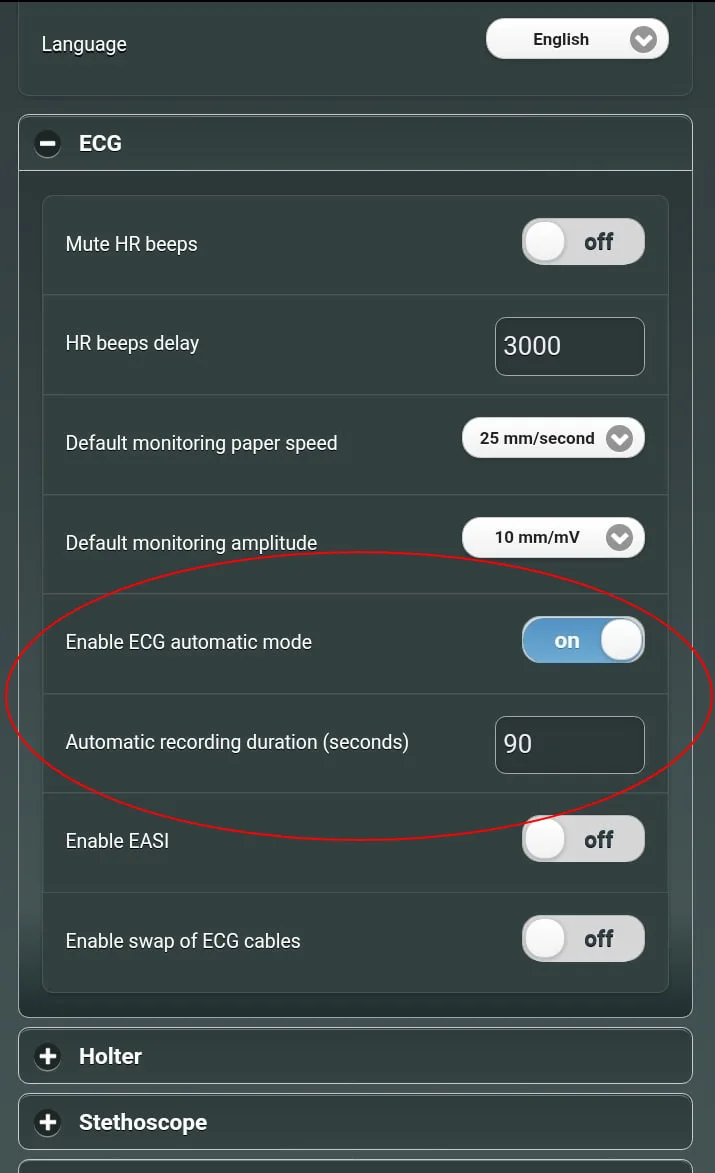
If you always record the same exam length, you can use the automatic mode to save time. This option will allow you to automatically record the data for a predefined period of time. To enable it:
- Go to Main Menu > Settings > ECG
- Turn on “Enable ECG automatic mode”
- The default recording duration is 90 seconds, you can change that under “Automatic recording duration”
After enabling the automatic mode, clicking on “Start live monitor” will automatically start the recording for the defined time period.
Lead selection
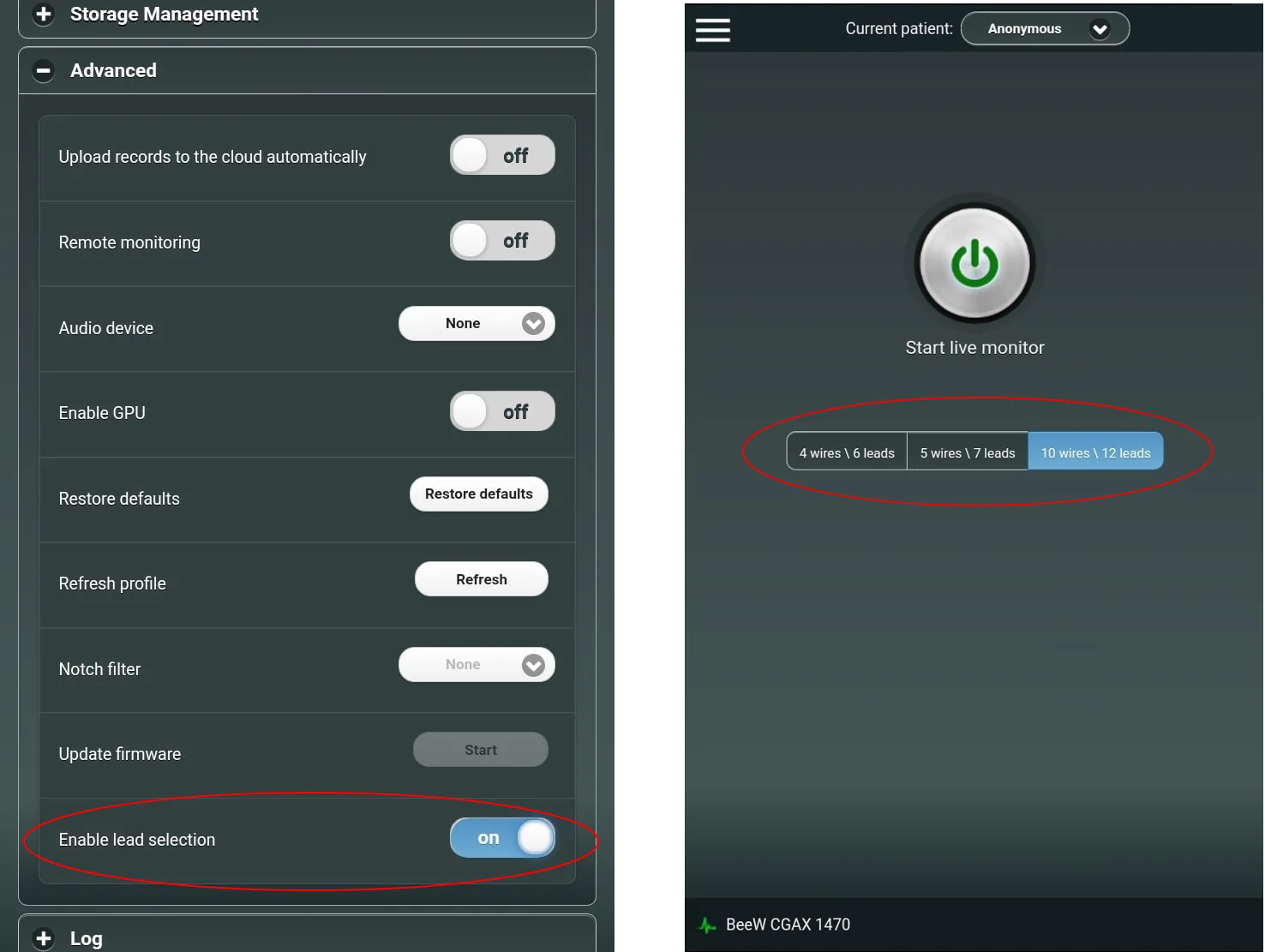
If you have a 12-lead device and want to perform an exam with less leads, you can use this option to tell the application which lead system you’re using. To enable it:
- Go to the app Main Menu > Settings > Advanced
- Turn on “Enable lead selection”
Now in the app homepage you'll see the lead configuration selection. So for example, if you want to connect only 4 wires, you can choose the 4 wires/6 leads configuration.
Replace patient
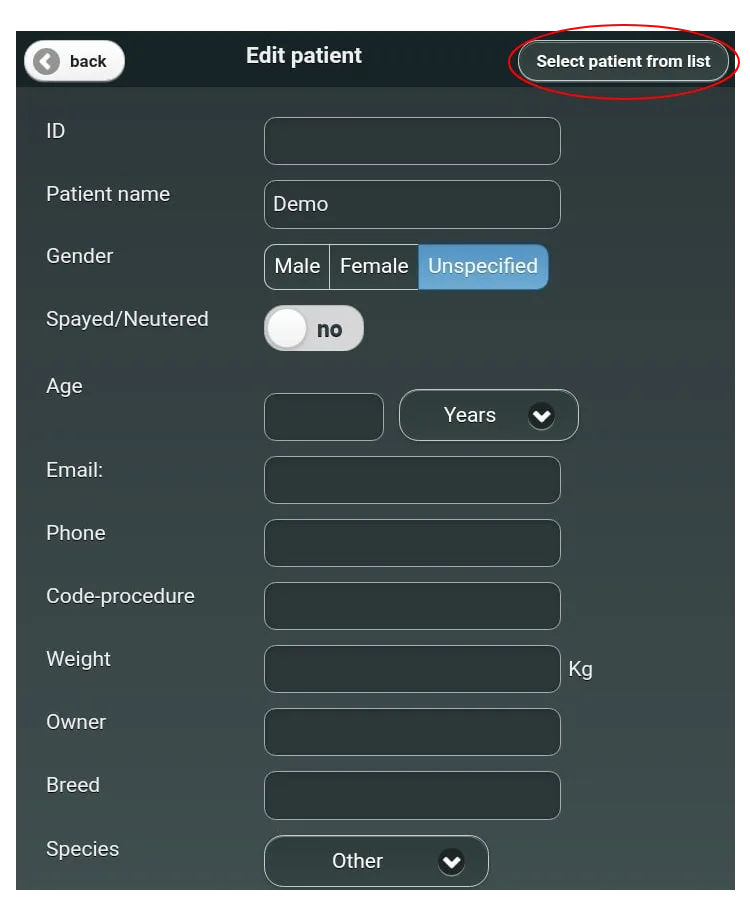
What happens if you’ve accidentally done the exam with the wrong patient? You can fix that by:
- Go to the app Main Menu > Records
- Click on the relevant record
- Go to “Edit patient” > “Select from list” and select the correct patient
If you don't have this patient on your list then you first need to create it (from the app main screen) and then do the process above ("Edit patient" > "Select from list") to replace the patient.
Attachments
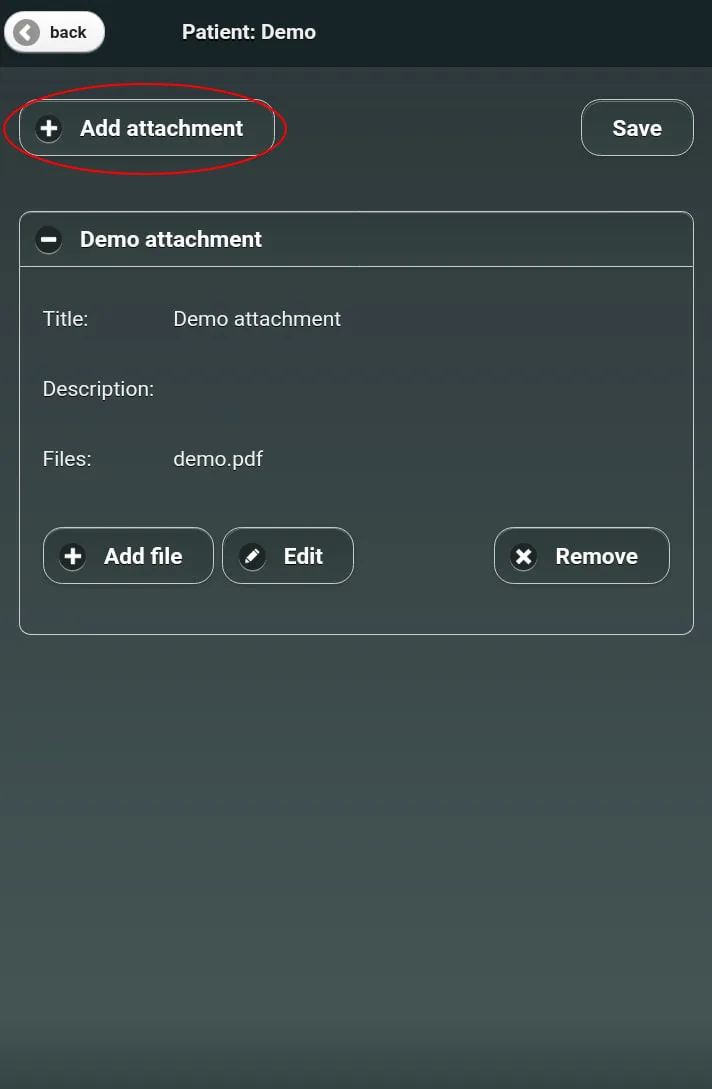
When uploading a study you might want to add some extra data like x-ray, blood test results, audio remarks, etc. This might be especially helpful when ordering a remote interpretation, as you can share more information that might help to better interpret the study. Learn more about it here.
You can learn more about Beecardia in our user manuals.
If you’re missing any features, please let us know in the comments below or contact us at info@beecardia.com.