

The Beecardia ECG viewer offers a variety of ways to navigate and interact with ECG waveforms. Here’s a quick guide on how to move the waves using different tools and features.
Using the mouse/keyboard
- Drag with your mouse: simply click and drag the waves left or right to navigate backward or forward in time
- Use the keyboard: the left and right arrow keys allow you to smoothly shift the waves forward or backward. Using shift+arrow jumps one page forward or backward
- The mouse wheel: you can scroll forward or backward through the waves by using your mouse wheel for a more seamless experience
Using the timeline and context viewers
- Timeline viewer: located at the top of the viewer, the timeline viewer allows you to quickly jump to a specific point in the exam. Just click on the desired spot in the timeline

- Context viewer: this viewer provides a wider context of the exam. A rectangle highlights the part of the exam currently visible in the main viewer. You can adjust the view by clicking to the left or right of the rectangle to move the focus area

ECG playback
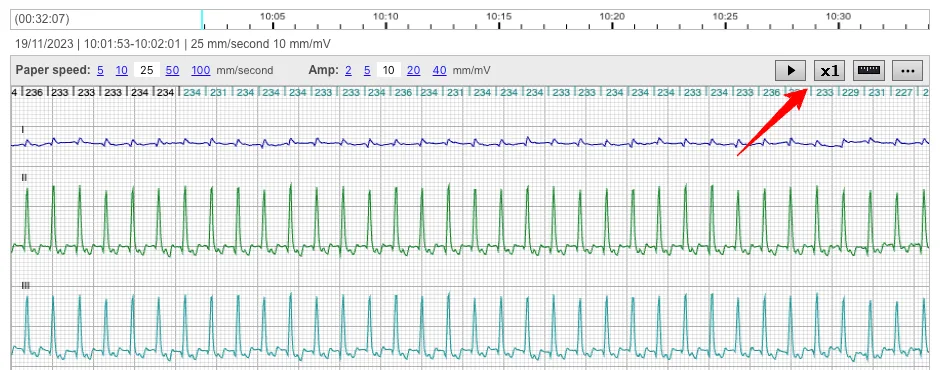
The new ECG playback brings ECG data to life. Now, you can watch the waves play out and adjust the playback speed for a more detailed analysis.
To enable this mode go to the viewer's main menu and choose "Show playback controls". After that you'll get a play/pause and a speed selector buttons that you can use to "play" the tracings.
Whether you're analyzing ECG data for clinical insights or educational purposes, the Beecardia ECG viewer’s versatile tools ensure a smooth and dynamic experience.