

Our latest update now includes the ability to add markers directly onto the viewer, along with the option to attach comments to each mark. This enhancement is designed to provide you with a more intuitive tool for precise and detailed interpretation of ECG readings.
Adding marks to specific points on the ECG waveform is now easier than ever. Whether you're pinpointing anomalies, indicating significant events, or marking areas of interest, simply click on the desired location to place a marker.
Go to the viewer's main menu and select "Add mark" to activate the marking mode.
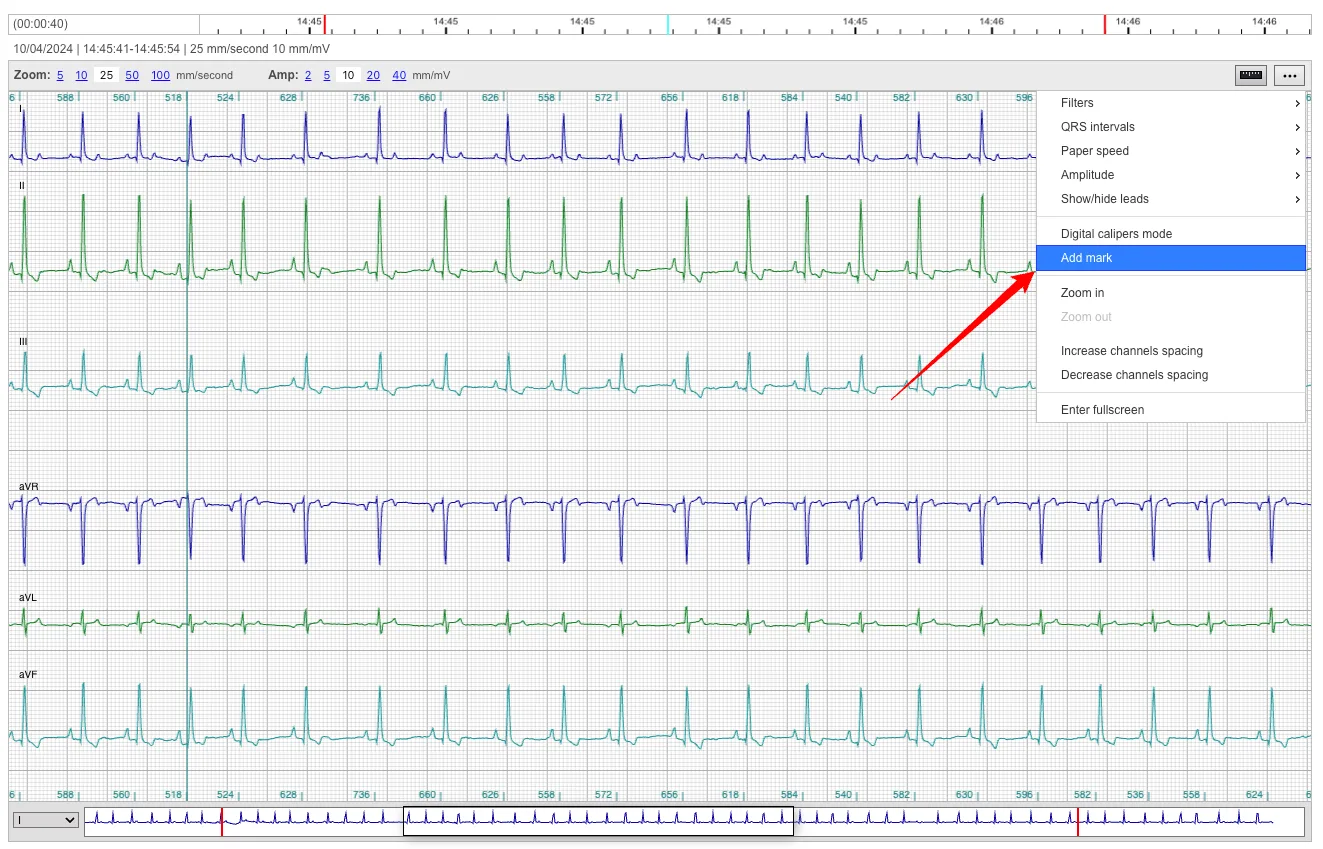
Choose the marker position, click to add the marker and add your comments.
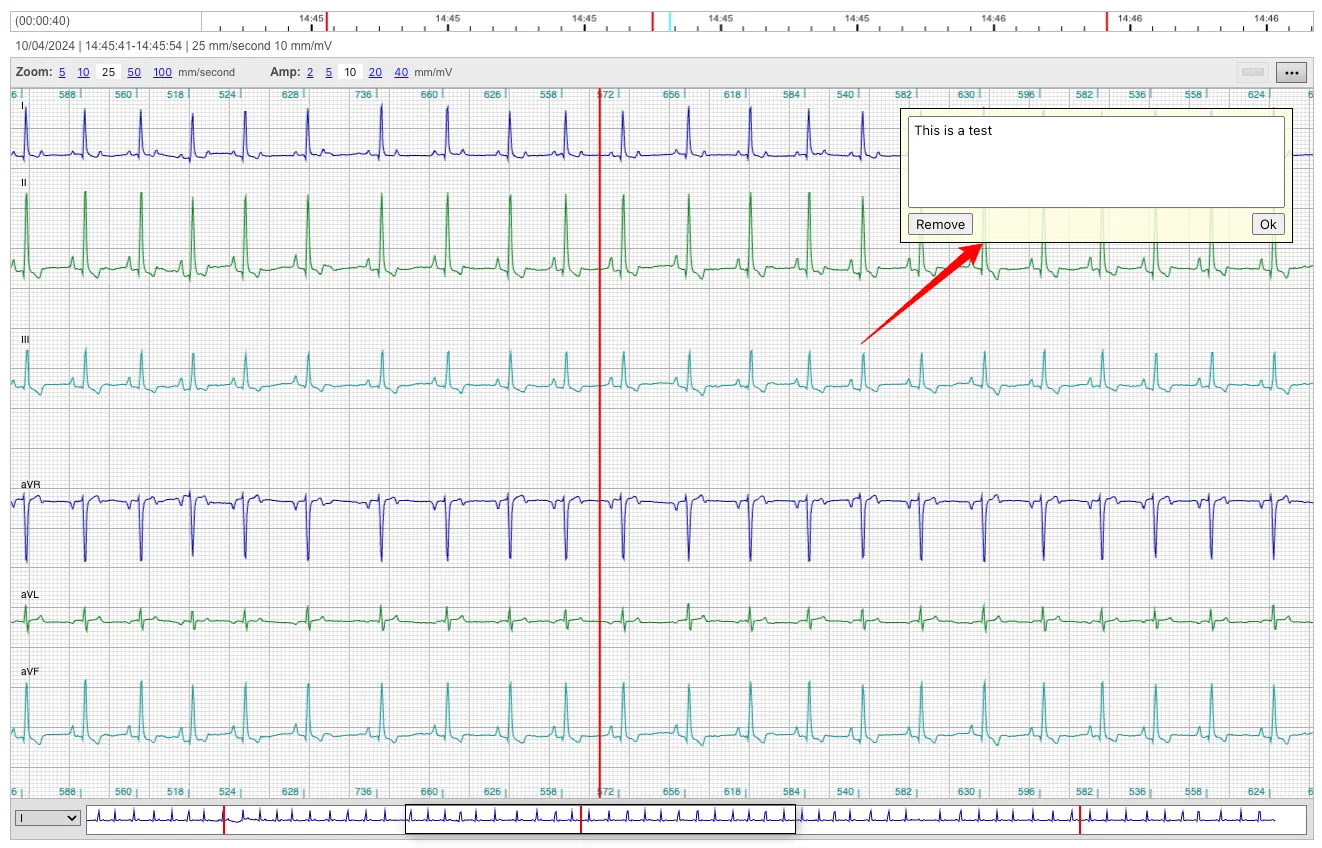
You can add multiple markers, delete or edit existing markers. The markers positions are also visible on the timeline viewer. For example, in the following case 3 marker where added.

We invite you to explore this new feature and experience firsthand how it can optimize your workflow and enhance your ECG interpretation capabilities.
If you have any feedback we'd love to read it in the comments below or email us to info@beecardia.com.
Stay tuned for more future updates.