

We’re excited to introduce Viewer Snapshots, the newest addition to the Beecardia online ECG viewer. Snapshots empower you to highlight regions of interest with ease. Enabling you to capture, annotate, and save customized ECG views directly into your reports, making your workflow faster and more accurate.
Why Use Snapshots?
Snapshot preserves the entire viewer state at the moment you capture it - timeline position, paper speed, amplitude, etc. You can then add annotations and comments to draw attention to specific anomalies. This not only improves clarity in your reports but also saves time.
For example, if you're reviewing an ECG and spot a potential ventricular premature complex, you can snapshot it, annotate the exact beat, and add a note like "Suspected VPC at 16:21:35”. When generating your report, these snapshots integrate seamlessly, creating professional, annotated visuals.
How to Create and Manage Snapshots
Getting started is straightforward. Here's a step-by-step guide:
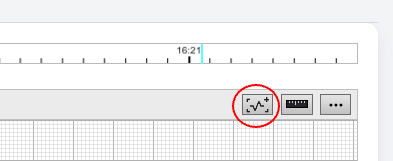
- Add a Snapshot: While analyzing an ECG, click the “Add Snapshot” button on the toolbar.
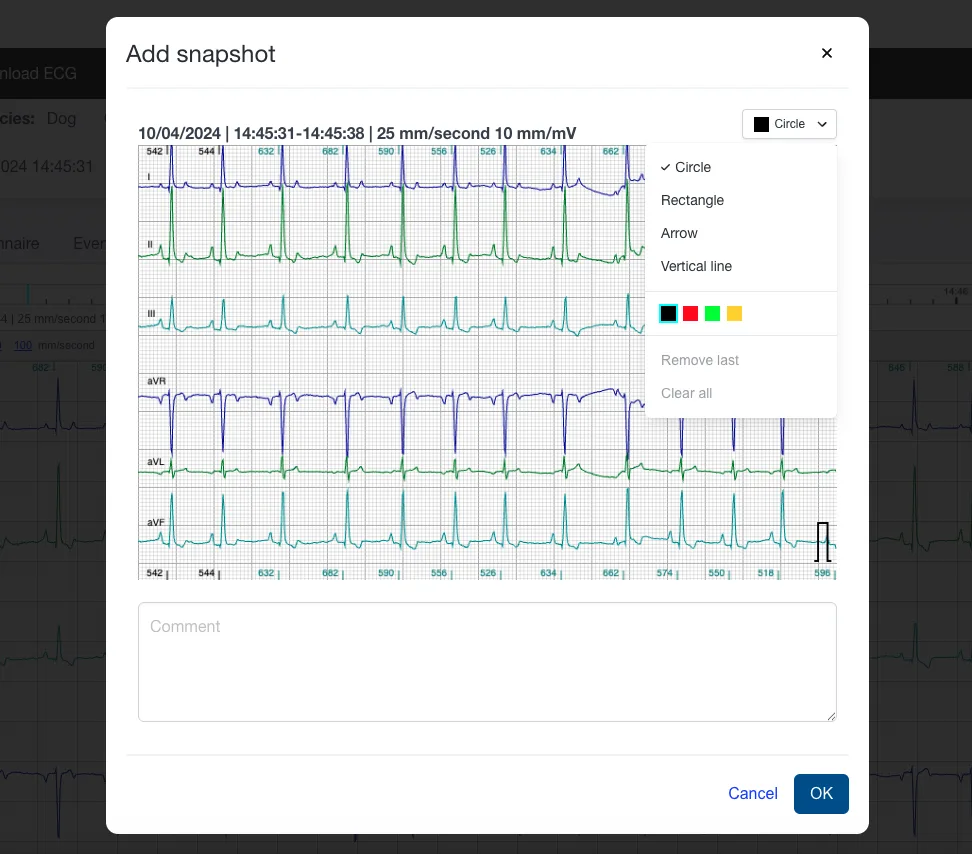
- Comment and annotate: A popup appears with the captured ECG segment. Here, you can:
- Add a Comment: Enter a descriptive note in the text field at the bottom to explain the significance.
- Add Annotations: Select from tools like Circle, Rectangle, Arrow, or Vertical line via the dropdown menu.
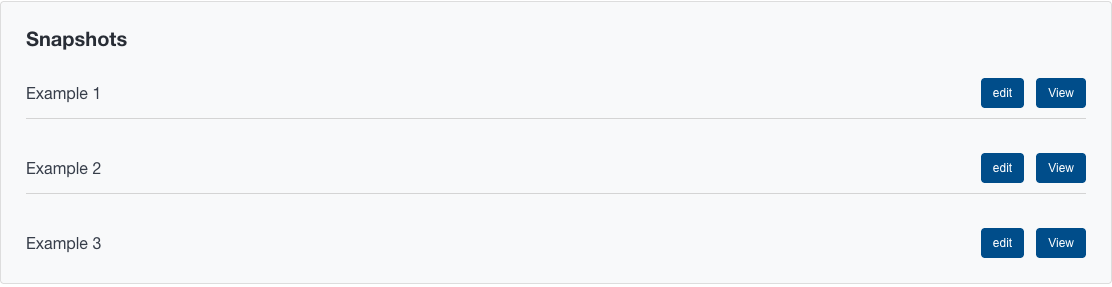
- Review and Edit: All saved snapshots are listed under the Diagnosis tab. From here, you can:
- View the ECG exactly as it was when the snapshot was taken.
- Edit comments or annotations.
- Delete snapshots you no longer need.
- Integrate into Reports: When you're ready to generate a report, all snapshots are automatically appended, complete with annotations and comments. This creates a polished, comprehensive document without extra effort.
Ready to try it? Snapshots are available now in your Beecardia ECG viewer. Log in to your account and start capturing your ECG findings.
We’d love to hear your feedback - email us at support@beecardia.com or leave a comment below.