
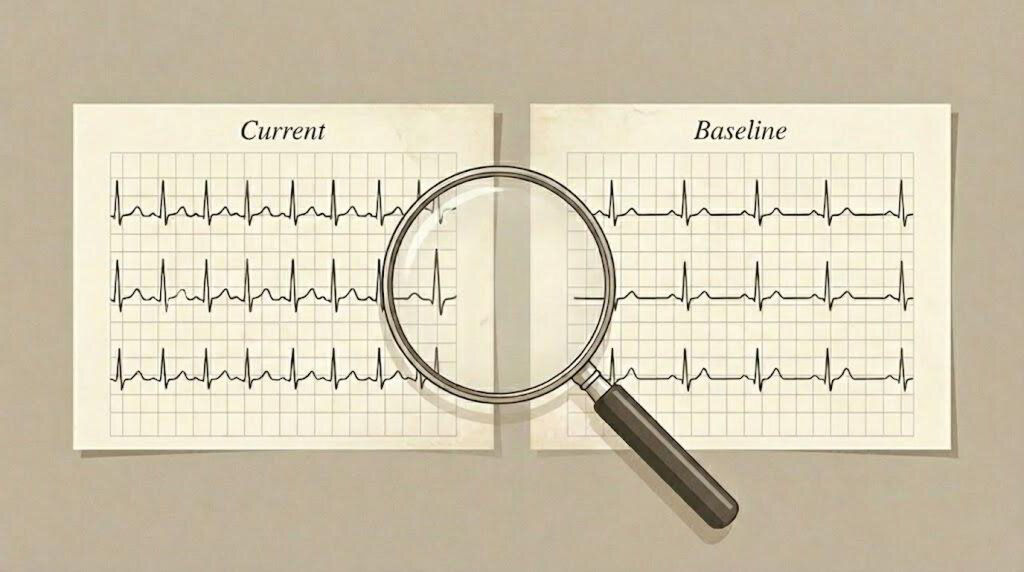
Tracking ECG changes over time is fundamental to cardiac assessment and follow-up.
Baseline Comparison is a new Beecardia feature that lets you compare ECG studies side by side, making it easier to track cardiac changes.
By setting a baseline ECG and comparing it with follow-up studies, you can quickly spot trends, evaluate treatment effects, and gain a clearer picture of your patient’s cardiac health, all within a streamlined, intuitive workflow.
Why Baseline Comparison?
Imagine you have a patient with a known arrhythmia, or you’re monitoring their response to a new medication. How do you quantify subtle changes in their ECG? Previously, this often involved opening multiple studies in separate windows or printing them out.
Our new Baseline Comparison feature changes that. It allows you to:
- Establish a reference point: Set a "baseline" ECG for any patient to serve as your definitive point of comparison.
- Track progression and treatment response: Compare new studies against the baseline or any other historical recording to monitor disease progression, assess treatment efficacy, or identify emerging abnormalities.
- Visualize changes with clarity: See two studies side-by-side with synchronized controls, making even minute changes immediately apparent.
How to Use Baseline Comparison
Setting a Study as a Baseline
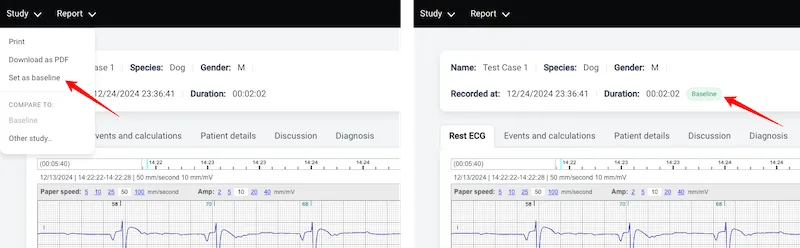
Choose a study that best represents your reference point - for example, an initial diagnostic ECG or a pre-treatment recording.
- Open the patient’s study you want to designate as the baseline.
- Click on the "Study" dropdown menu in the top left corner.
- Select "Set as baseline".
Once set, a green Baseline badge will appear next to the study’s recording details and in the patient’s studies list, making it easy to identify at a glance.

Comparing Studies
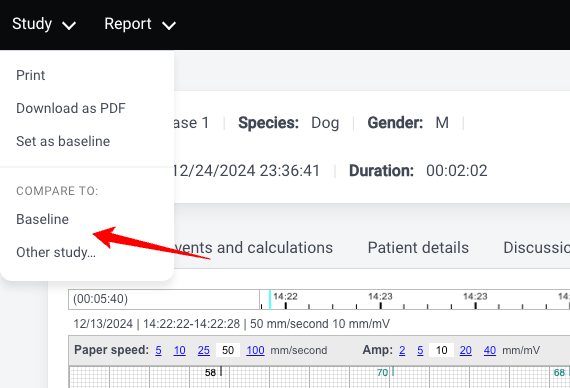
Once you have a baseline set (or if you just want to compare any two studies), here’s how to initiate the comparison:
- Open the study you want to analyze
- Click on the "Study" dropdown menu.
- Under the "COMPARE TO" section, you have two options:
- Baseline: compare against the patient’s designated baseline.
- Other study...: select any study from the patient’s history.
The Comparison View
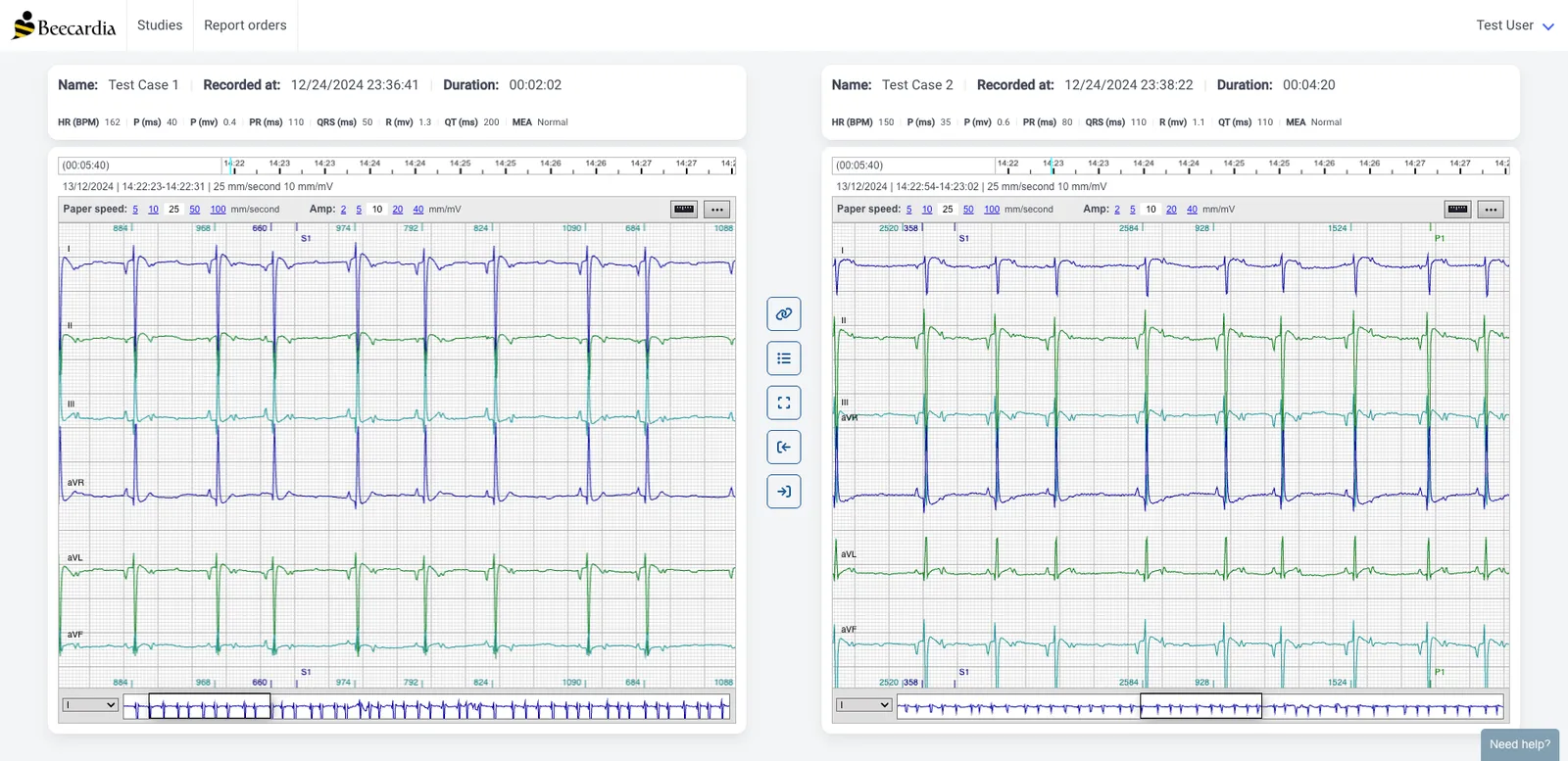
In comparison mode, two studies are displayed side by side with a central toolbar designed for efficient analysis:
- Sync Mode: When enabled, both ECG viewers move together. Scrolling, paper speed, and amplitude changes apply simultaneously, ensuring true one-to-one comparison.
- Select Study: Choose another study for comparison.
- Go to Full Screen: Expand the comparison view to use your entire screen for detailed analysis.
- Navigate to Study: Jump directly back to the standard single-study view for either the left or right recording.
The Baseline Comparison feature is now live for all Beecardia users. Log in to your dashboard, set your first baseline, and experience a more streamlined approach to veterinary cardiology.
We are constantly evolving Beecardia based on your feedback. Try out the new comparison tools and let us know what you think.